









If you’re looking for a modern way to attract high-ticket clients, a well-designed podcast room setup can become your biggest brand asset. Today, professionals trust voices more than ads, and clients want to work with experts they feel connected to. A podcast room gives you a chance to demonstrate authority, tell stories, interview industry leaders, and create long-form content that builds serious credibility.
In this guide, you’ll learn how to set up a podcast room that not only sounds professional but also helps you convert listeners into high-value clients.
Let’s build the perfect podcast space that elevates your brand.
Why a Podcast Room Matters for Attracting High-Ticket Clients
High-ticket clients don’t buy after seeing one ad — they buy because they trust you.
A polished podcast room setup helps you achieve that by giving your content:
- Professional sound
- A premium visual presence
- Authority-building environment
- Better guest experience
- Consistency and authenticity
When your setup looks great, clients associate you with quality and expertise — exactly what high-ticket buyers want.
10 Short Steps to Set Up a Podcast Room
Step 1: Choose the Perfect Room for Your Podcast
Before placing microphones or cameras, start with the right room.
What type of room works best?
Choose a room that is:
- Small or medium-sized (reduces echo)
- Away from street noise
- Has soft furniture (curtains, rugs, sofa)
- Minimal reflective surfaces
Rooms to avoid:
- Kitchens
- Large halls
- Rooms with windows facing busy roads
Good audio is 80% room acoustics, not equipment.
Step 2: Acoustic Treatment for Clean Audio
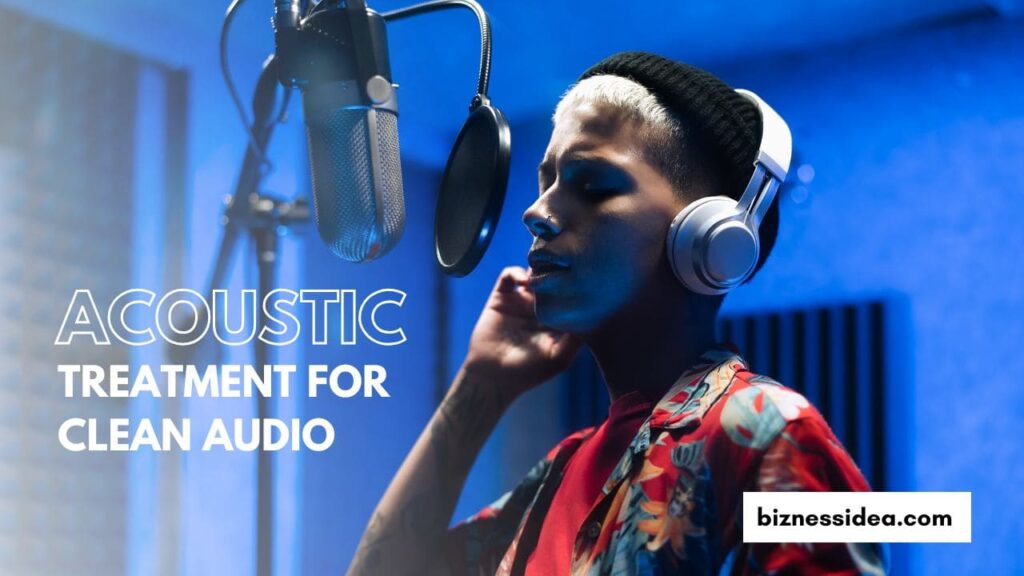
A professional podcast room setup is pointless without proper sound treatment. High-ticket clients expect crisp audio.
Simple acoustic fixes:
- Add thick curtains
- Use carpet or rug
- Add soft wall art or foam panels
- Place bookshelves behind your recording area
- Use portable sound diffuser shields
Best budget acoustic materials:
| Material | Cost | Effectiveness |
| Foam Panels | Low | Medium |
| Acoustic Curtains | Medium | High |
| Bass Traps | Medium | High |
| Rug + Furniture | Low | Medium |
If you’re thinking of how to set up a podcast room on a budget, prioritize acoustic treatment above fancy cameras.
Step 3: Choose Professional Podcast Equipment
Your equipment reflects your brand quality. For high-ticket positioning, choose gear that delivers premium sound and visuals.
Microphones (choose one):
- Shure SM7B — Industry standard
- Rode PodMic — Budget-friendly but premium
- Audio-Technica AT2020 — Crisp vocal clarity
Audio Interface:
- Focusrite Scarlett 2i2
- Rodecaster Pro II (for advanced features)
Headphones:
- Audio-Technica M50x
- Sony MDR7506
Camera Options:
- Sony ZV-E10
- Canon M50 Mark II
- DSLR or mirrorless for sharp depth-of-field look
Lighting:
- Key Light + Fill Light + Back Light
- Softbox or LED panel lights for soft skin tone
This equipment will instantly make your podcast visually and audibly appealing.
Step 4: Create an Aesthetic Background (Very Important for High-Ticket Clients)

Your background communicates your brand identity.
Think of the background as a visual pitch.
What to add to your background:
- Clean shelving
- Brand colors or logo
- Plants or minimal décor
- LED accent lighting
- Books related to your niche
- Awards, credentials, certifications
Avoid clutter. Minimalism signals professionalism.
Step 5: Furniture & Layout for a Studio-Ready Look
Comfort + professionalism = better conversations.
Essential furniture items:
- Adjustable chairs
- Good-looking side table
- Desk or boom arms for mics
- Background shelving
Layout Tips:
- Place microphones on boom arms
- Align the camera slightly above eye level
- Keep bthe ackground depth of field at 3–5 ft
- Avoid bright windows behind you
A comfortable layout leads to natural conversations.
Step 6: Sound Settings & Production Workflow
Even great equipment fails without proper setup.
For professional sound:
- Keep mic distance 5–8 inches
- Use pop filters
- Record in -6dB to -12dB range
- Use compression & EQ presets
- Eliminate background noise with noise gates
Software options:
- Adobe Audition
- Audacity (free)
- Reaper
- Descript (AI editing)
High-ticket clients expect clarity — poor audio directly reduces perceived value.
Step 7: Your Podcast Script Strategy for High-Ticket Conversions
The setup brings people in. Your content converts them.
Here’s your conversion checklist:
What high-ticket clients want to hear
- Thought leadership
- Industry insights
- Case studies
- Personal success stories
- Transparency in process
- Behind-the-scenes solutions
Content formats that work best:
- Expert Interviews
- Solo Thought Leadership
- Client Success Stories
- Industry Predictions
- Q&A Sessions
Be clear, confident, and value-driven.
Step 8: Branding Elements to Signal Premium Quality
To attract high-ticket clients, your brand must match your value.
Add:
- Branded intro jingle
- Professional logo animation
- Consistent color palette
- On-screen lower thirds (guest names, titles)
- Custom thumbnail design
Branding is what turns a room into a studio.
Step 9: Distribute Content to Attract High-Ticket Leads
After setting up the perfect podcast room setup, distribute content where your high-ticket clients hang out:
- YouTube
- Instagram Reels
- TikTok
- Website blog
- Email lists
- Podcast platforms (Spotify, Apple Podcasts)
Lead conversion tips:
Include a CTA:
- “Work with me”
- “Apply for a strategy call”
- “Join my consulting program”
Place this CTA in:
- Podcast descriptions
- Video end screens
- Episode intro/outro
Step 10: Measure & Optimize Your Podcast Setup
Step 10: Measure & Optimize Your Podcast Setup
Track:
- Watch time
- Retention rate
- Comments & engagement
- Quality of inbound leads
- High-ticket sales conversion
Adjust background, audio, lighting, and episodes based on audience feedback.
Conclusion
A well-designed podcast room setup is more than a studio — it’s a business tool. When done right, it boosts your authority, creates powerful first impressions, and attracts high-ticket clients who want to work with experts.
Start small, upgrade wisely, and focus on delivering value.
Your podcast room can become your most profitable investment.
FAQs
Que 1. How to set up a room for a podcast?
Ans. You can set up a podcast room by focusing on three main things:
- Choose a quiet room with less outside noise
- Add soft materials like rugs, curtains, and cushions to reduce echo
- Place your mic, camera, and lighting facing a clean background
- Keep the setup comfortable so you can record longer sessions
- Test your sound and adjust furniture/equipment as needed
A simple setup with good planning is always better than an expensive one with bad acoustics.
Que 2. Does a podcast room need to be soundproof?
Ans. Not always! Full soundproofing can be expensive. Instead:
- Focus on sound treatment, not blocking sound completely
- Use curtains and rugs to absorb reflections
- Close doors and windows to reduce outside noise
- Add foam panels or bookshelves on walls for better audio
As long as your voice sounds clear and natural — you’re good to go.
Que 3. How to treat a room for podcasting?
Ans. Room treatment helps your voice sound cleaner and more professional:
- Add acoustic foam panels to reduce echo
- Place a rug or carpet on the floor
- Cover large empty walls with curtains, photos, or shelves
- Use furniture like sofas or chairs to absorb sound
- Put the mic away from windows or reflective surfaces
Even a few simple changes can dramatically improve your audio quality.
Que 4. Is it possible to build a portable podcast room?
Ans. Yes, absolutely! Perfect for creators who travel or record in shared spaces:
- Use a portable isolation shield around the microphone
- Set up foldable acoustic panels behind you
- Choose light and compact equipment
- Use a clip-on light or small LED panel for visuals
- Store everything in a single backpack or case
A portable setup still gives you professional-quality sound wherever you go.